What Docketman does
The documents, the arithmetic, the ledger and the deadlines - on one file
Every closing document
Entered once on the matter, generated as often as you need
Closing Disclosures (CD)
Generate TILA-RESPA compliant Closing Disclosure forms with automatic calculations for loan terms, closing costs, and cash to close amounts. Export to PDF for easy distribution.
HUD-1 Settlement Statements
Create detailed HUD-1 forms for all transaction types. Automatic proration calculations and proper categorization of all fees and charges.
ALTA Settlement Statements
Buyer, seller and combined ALTA statements, for purchases, sales and refinances, drawn from the same figures as the rest of the file.
1099-S E-Filing
Pull every reportable closing for a tax year, validate the batch, and transmit Form 1099-S to the IRS electronically through TaxBandits. Inline errors show exactly what to fix, and submission IDs come back for tracking.
Grant Deeds
Create properly formatted grant deeds and other transfer documents. Template library includes customizable forms for various transaction types.
Custom Documents
Build your own document templates with dynamic field mapping. Reuse templates across multiple matters for consistent, professional output.
The arithmetic
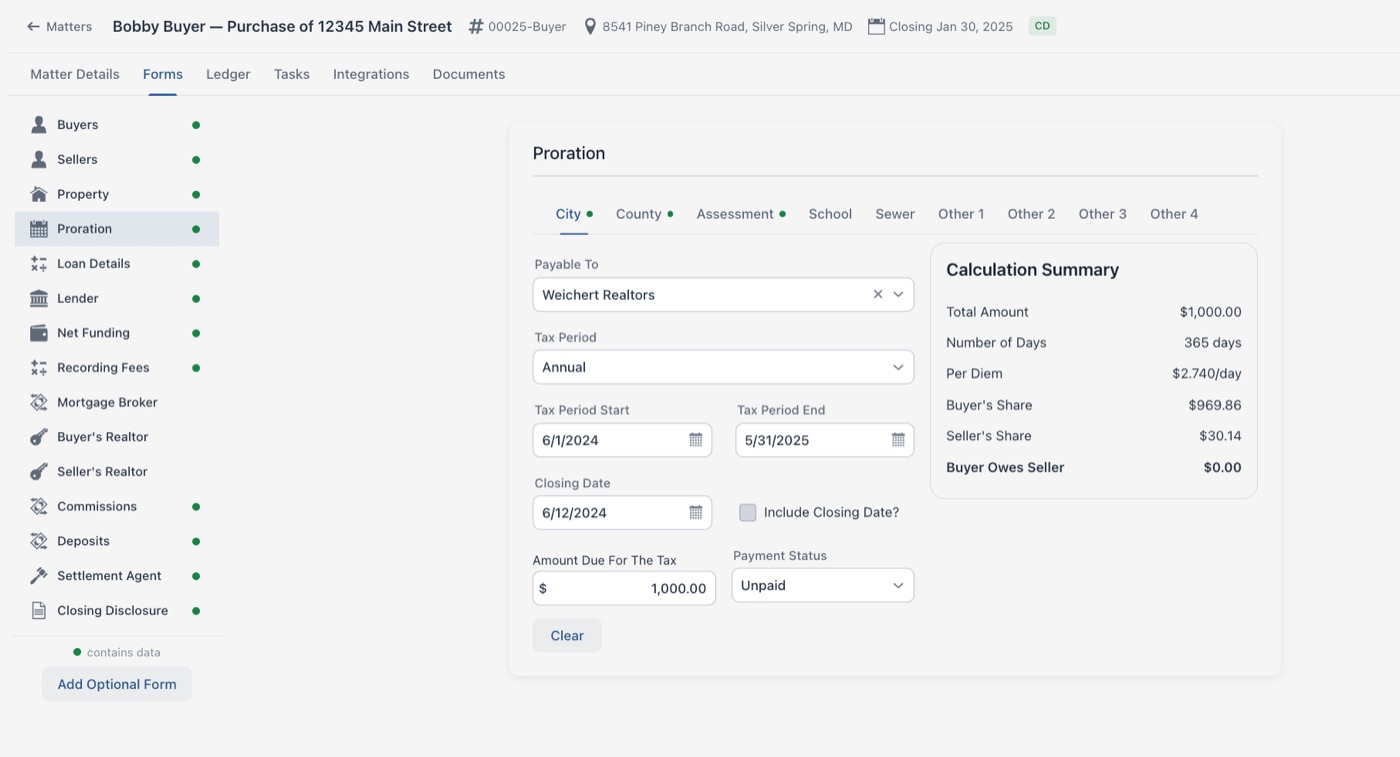
Prorations, prepaid interest, transfer taxes and commission splits, worked out on the file
Worked out on the matter
The recurring figures on a closing are calculated from the file rather than typed in from a spreadsheet:
- Property tax prorations
- HOA fee calculations
- Rent prorations
- Interest calculations
- Government recording charges
- Title insurance premiums
- Commission splits
- Cash to close calculations
A ledger that balances
Every disbursement accounted for, to the penny
Disbursement Ledgers
Every deposit and disbursement on the closing sits on the matter, categorized as you enter it, with the difference between deposits and payments shown as you work.
- Deposits and payments totalled against each other
- Transactions categorized as they are entered
- Disbursements to any number of payees
- Wires tracked alongside checks
- The file does not agree until the difference is $0.00
Check Printing
Print the disbursement checks straight off the ledger onto standard check stock, so the payment on the file and the check in the envelope are the same record.
- Printed from the ledger, not re-keyed
- Standard check stock
- Print a batch in one run
- Check numbers tracked on the matter
- Voided checks kept on the record
Contacts and templates
Built up once, reused on every matter
Contact Database
Maintain a database of frequently used contacts including lenders, title companies, realtors, and settlement agents. Reuse contact information across multiple matters.
Entity Management
Store information for commonly used entities like title companies, escrow agents, and county clerks. Never re-enter the same information twice.
Template Library
Build a library of document templates customized for your practice. Create templates for different transaction types and jurisdictions.
QuickBooks Online Sync
Connect QuickBooks Online, map your chart of accounts once, and push a matter's ledger across as journal entries. No re-keying the same numbers into your books.
Manage the whole file, not just the forms
Deadlines, checklists, and firm-wide visibility built around the closing date
Closing Checklists
Every new matter gets your firm's checklist for that matter type automatically. Each item becomes a task with a due date calculated from the closing date and an assignee taken from the responsible attorney or clerk.
Firm-Wide Tasks
See open work across every matter from one page. Overdue tasks are flagged in red, and assignees get a digest of what has been handed to them.
Closing Calendar
Every matter appears on its closing date, color-coded by responsible attorney, so you can see whose closings land on which day. Month, week, day, list, and year layouts, plus ad-hoc events.
Dashboard and Reports
Open matters, closings in the next 30 days, and overdue tasks at a glance - plus reports you can view on screen, print to PDF, or export to CSV.
Connected to the tools you already use
Set each one up once for your firm, then work from inside the matter
Clio
Import matters and contacts, map your Clio custom fields, sign in with your Clio account, and push every generated document back to the right Clio matter.
QuickBooks Online
Map your chart of accounts once, then send a matter's ledger to QuickBooks as journal entries with per-transaction sync status.
E-Signature
Email documents for legally binding electronic signature. The signed copy and its tamper-evident audit page file themselves back into the matter.
FedEx Shipping
Create labels for any contact on the matter, save the label to the file, and refresh delivery status on demand.
Run your next closing on it
Start a free 30-day trial. No card, and nothing to install.