Docketman and Clio
Matters and contacts come across, and the documents you generate go back
The matter is already in Clio. Start there.
If your firm runs on Clio, the client, the property and the contacts have been entered once already. Docketman imports them rather than asking for them again, and sends the closing documents back to the same matter when they are generated.
You keep managing the file in Clio and do the closing work in Docketman, without a second copy of the matter to keep in step.
How it works
Import the matter, generate the documents, and they land back in Clio
Import the matter
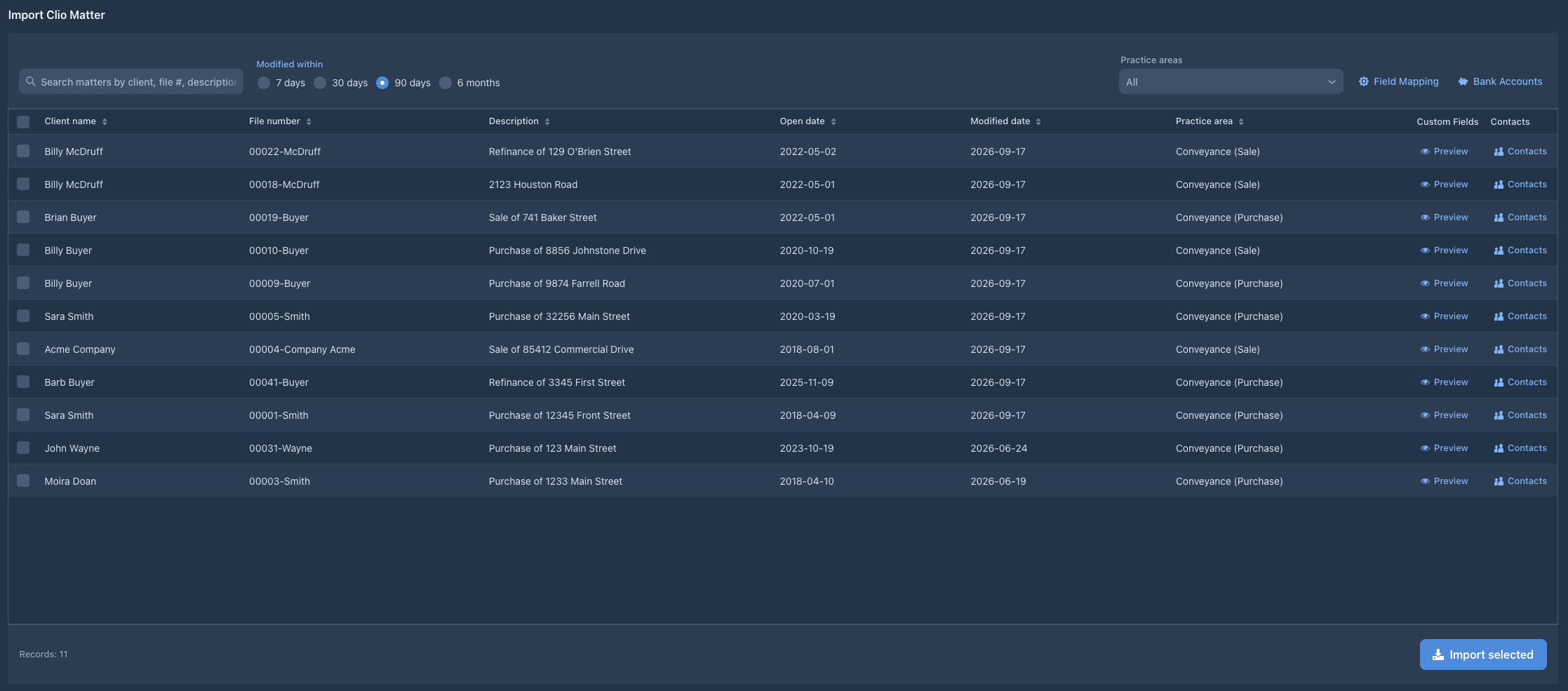
Find the matter in your Clio account, filtered by practice area and by how recently it changed, and bring it across with its client, its property details and its contacts.
Run the closing
Work the file in Docketman: the Closing Disclosure, the HUD-1, the ALTA statements, the deeds, the prorations and the disbursement ledger.
The documents go back
Each document you generate uploads itself to a Docketman folder on the matching Clio matter, so the closing paperwork sits with the rest of the file.
One-Click Matter Import
Select the real estate matters you want to work on in Docketman and import them with a single click. All the information you need flows seamlessly:
- Client names and contact information
- Matter descriptions and file numbers
- Property addresses
- Related contacts (buyers, sellers, agents)
- Matter dates and deadlines
- Custom field data
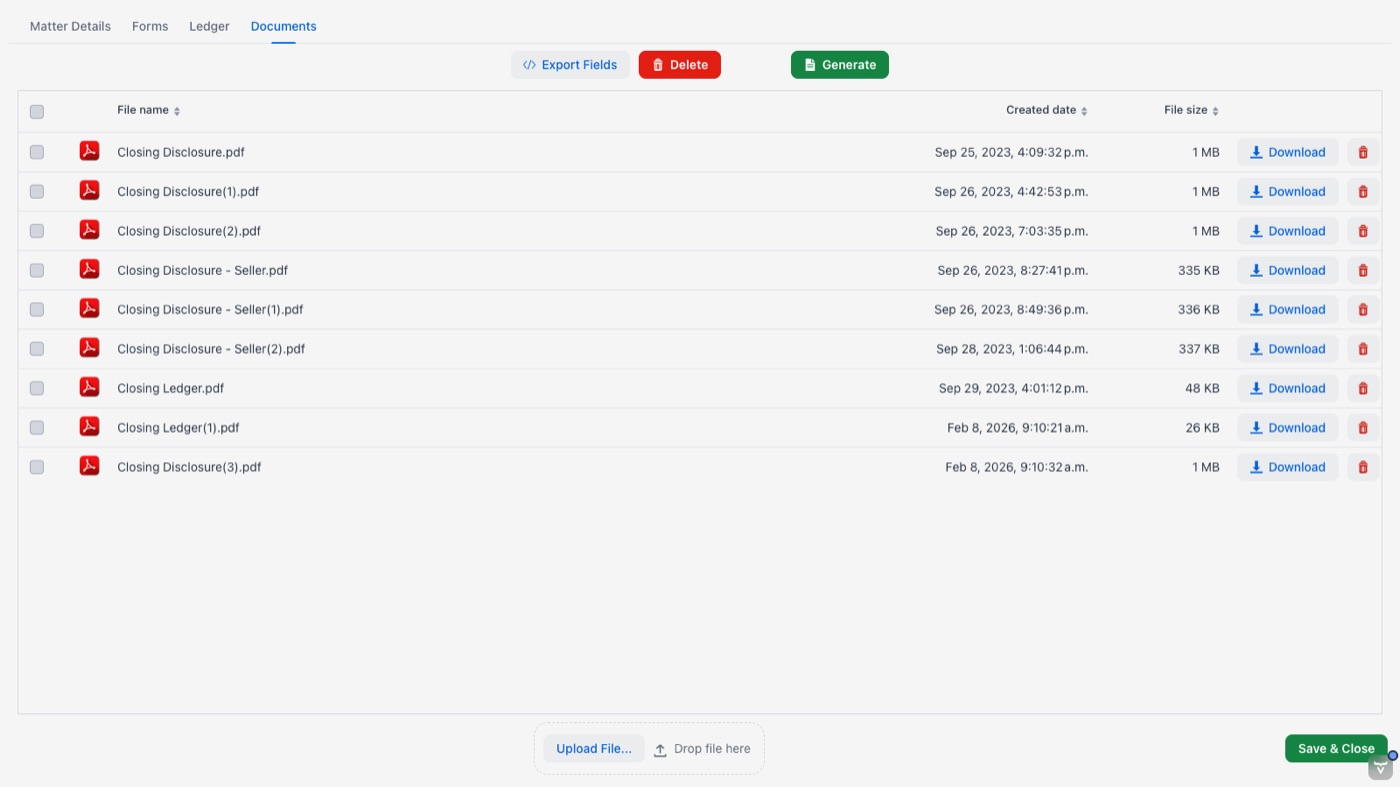
Documents file themselves back
Generate a document in Docketman and it uploads to the matching Clio matter on its own, with nobody downloading it and re-filing it by hand:
- Filed in a dedicated Docketman folder on the matter
- Appears in the Clio Documents tab
- There as soon as it is generated
- Closing paperwork kept apart from the rest of the file
Contact Synchronization
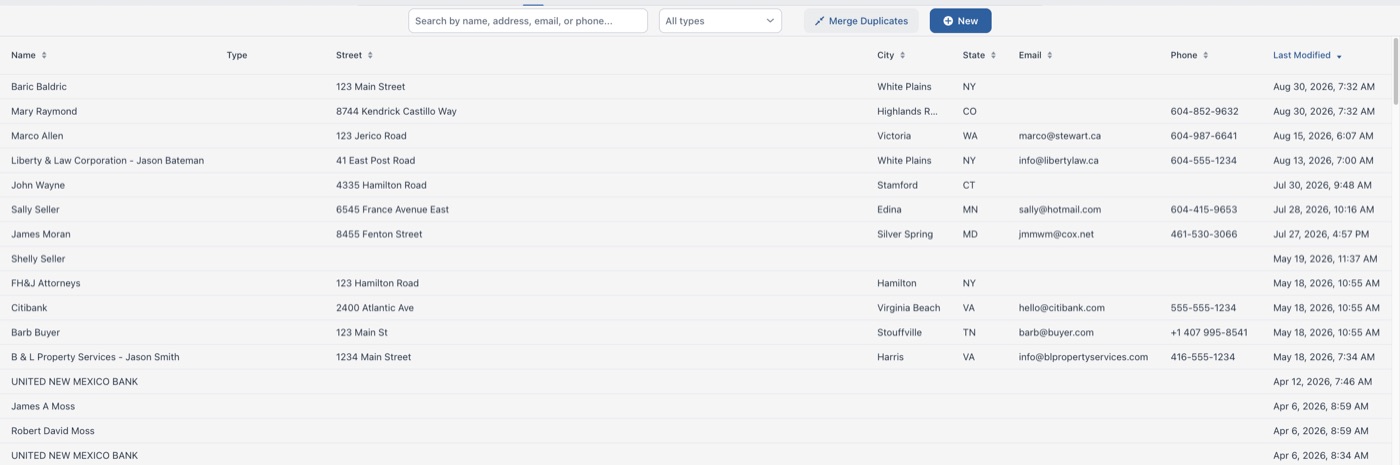
The people on a closing are usually already in Clio. Docketman brings them across and, if you switch it on, sends your edits back:
- Import contacts from Clio
- Related contacts imported into their closing roles
- Automatic contact linking
- Push name, address, phone, and email edits back to Clio - optional, and switched on per firm
- Merge duplicate contacts in Docketman
- Shared contact database
Built for the way your firm uses Clio
Your Clio setup drives Docketman, not the other way around
Custom Field Mapping
Map your Clio custom field sets to the fields Docketman uses, with a preview before anything is imported. The data your firm already keeps in Clio flows straight onto the closing forms.
Sign In with Clio
Your team signs in to Docketman with their Clio account - one less password to manage, and access follows the people you have already set up in Clio.
Organized in Clio
Generated documents land in a dedicated Docketman folder on the Clio matter, so closing paperwork stays separate from the rest of the file but lives in the same place.
Fast, Filtered Import
Matters load progressively with filtering as you type, so you can find the files you want in a large Clio account without waiting on the whole list.
What the integration saves you
No duplicate entry, no manual filing, and no second place to look
No Duplicate Entry
The client, the property and the contacts are entered once, in Clio. Nobody re-types a name, an address or a file number to get a closing document out.
No Manual Filing
Generated documents upload themselves to the Clio matter. Nothing is downloaded to a desktop, renamed, and dragged back into the file later.
No Second Place to Look
The closing paperwork ends up where the rest of the matter already lives, so the people who do not use Docketman still find it in Clio.
Connecting your Clio account
Three steps, and your matters are available
Step 1: Sign up with Clio
Create your Docketman account through Clio and authorize the connection. Your team can then sign in to Docketman with their Clio accounts.
Step 2: Map your custom fields
Match the Clio custom field sets your firm already uses to the fields Docketman puts on the closing forms, with a preview before anything is imported.
Step 3: Import your first matter
Pick a matter out of your Clio account and generate its closing documents. From there, every document you generate files itself back to the Clio matter.
Connect your Clio account
Sign in with Clio and import your first matter in a few minutes