Integrations
Docketman connects to the tools your firm already runs on, so the closing file only has to be built once
Everything connects to the matter
Each integration is set up once for your firm, then works from inside the matter you already have open
Clio
Import matters and contacts, map your Clio custom fields, sign in with your Clio account, and push generated documents back to the right Clio matter automatically.
See the Clio integration →QuickBooks Online
Connect QuickBooks Online, map your accounts once, and send a matter's ledger across as journal entries instead of re-keying the same numbers into your books.
How it works →E-Signature
Email documents from a matter for legally binding electronic signature. Signed copies file themselves back into the matter with a tamper-evident audit page.
How it works →FedEx Shipping
Create FedEx labels for any contact on the matter, save the label to the matter's documents, and refresh delivery status without leaving Docketman.
How it works →IRS 1099-S E-Filing
Pull every reportable closing for a tax year, validate the batch, and transmit it to the IRS electronically through TaxBandits - with submission IDs returned for tracking.
How it works →Your Document Templates
Bring your own Word templates with dynamic field mapping, grouped into folders, and generate them against any matter alongside the standard closing forms.
See all features →QuickBooks Online
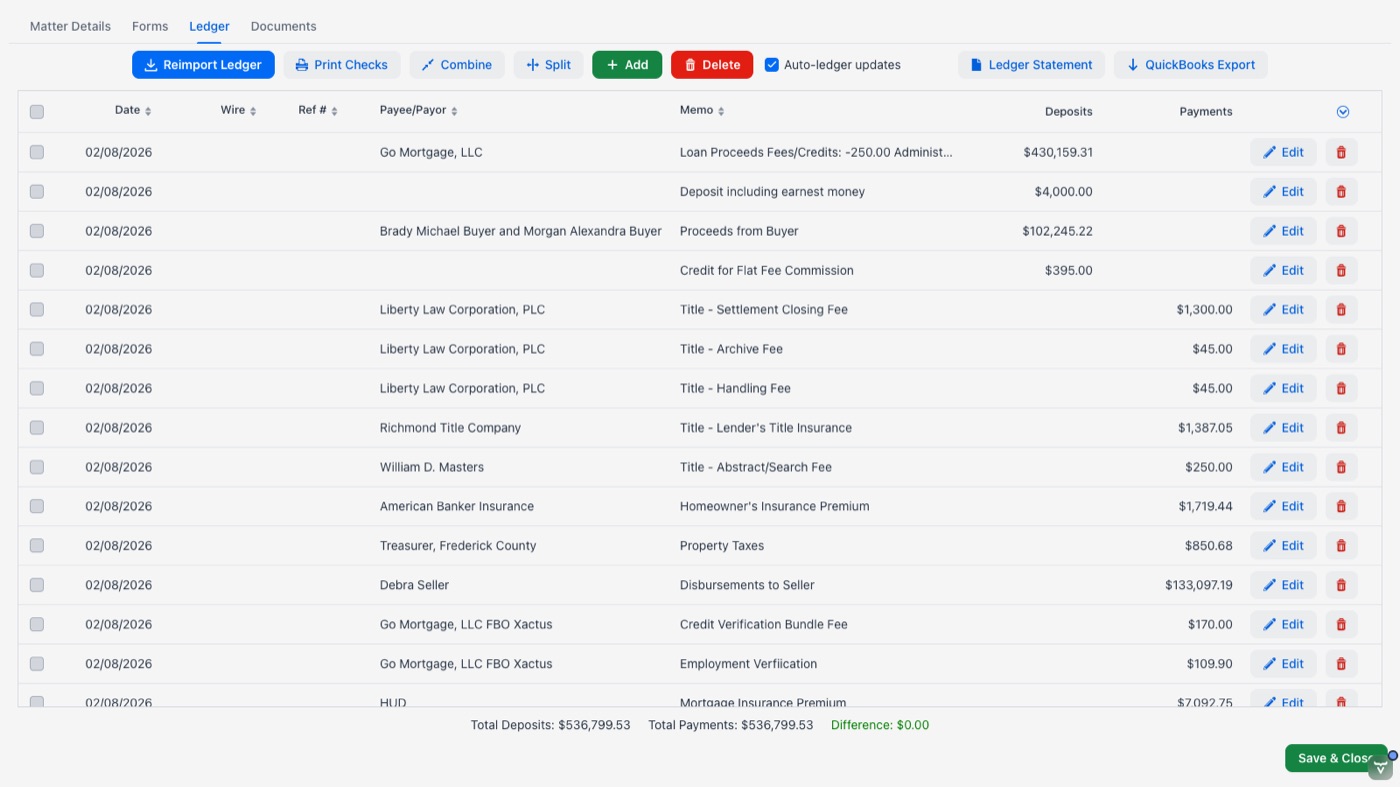
Stop keying the same transactions into two systems. Connect your QuickBooks Online company to Docketman, map each Docketman account to an account in your QuickBooks chart of accounts, and send transactions across as journal entries.
- Secure QuickBooks Online authorization - no password sharing
- Map Docketman accounts to your existing chart of accounts
- Sync a matter's whole ledger on demand from the Ledger tab
- Per-transaction sync status so you can see what has gone across
- Step-by-step setup guide built into the app's help center
E-Signature, Powered by SignWell
Send any document on a matter out for legally binding electronic signature. Recipients sign from any device without creating an account, and you watch the status change in the matter as each signer completes.
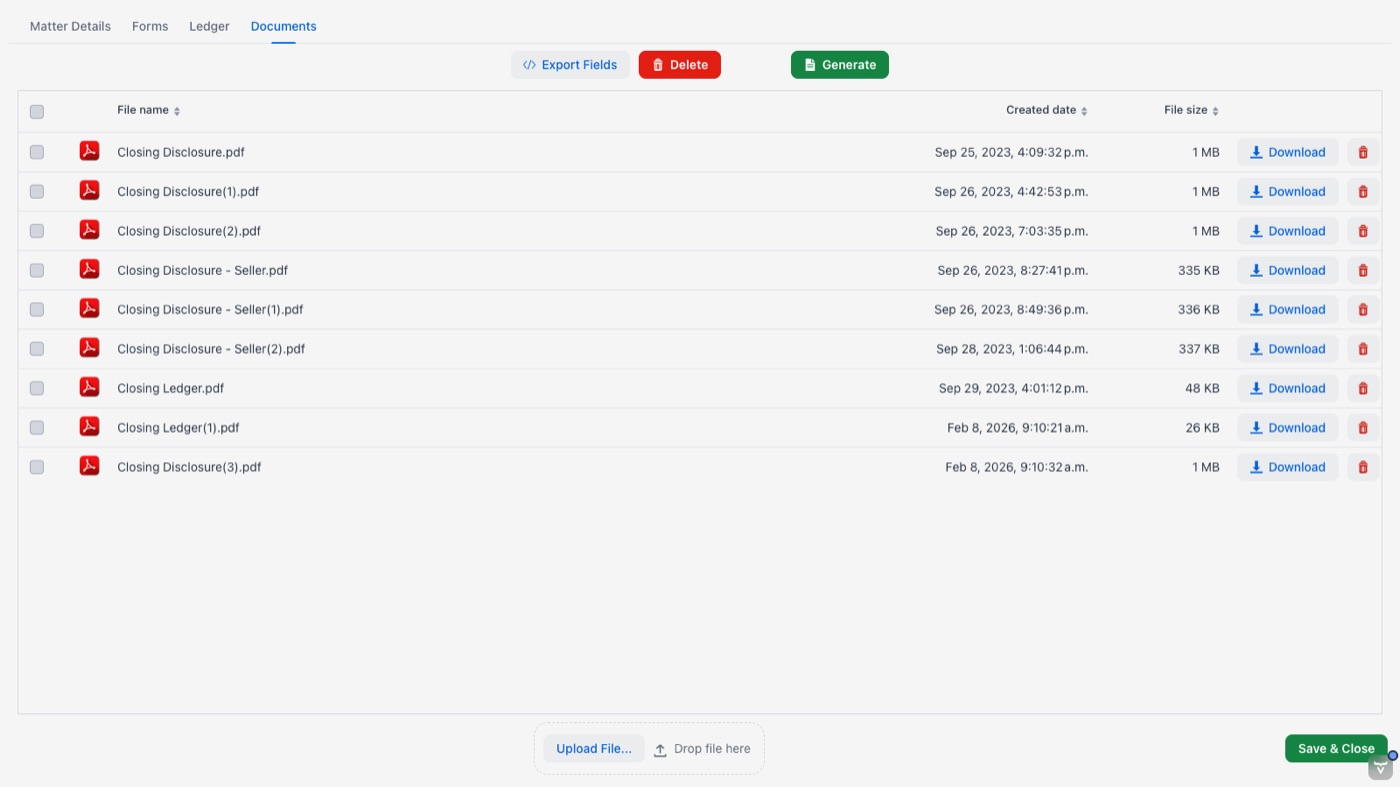
- Send straight from a row on the matter's Documents tab
- Recipients pre-filled from the matter's contacts
- Append a signature page automatically, or place fields yourself
- Multiple signers, each with their own signature block
- Signed copy and tamper-evident audit page filed back to the matter
- Signature-status badges on the document rows
Ideal for engagement and retainer letters, disclosures, authorizations, and information sheets. Deeds, mortgages, and anything that must be notarized or recorded still need ink signatures.
FedEx Shipping
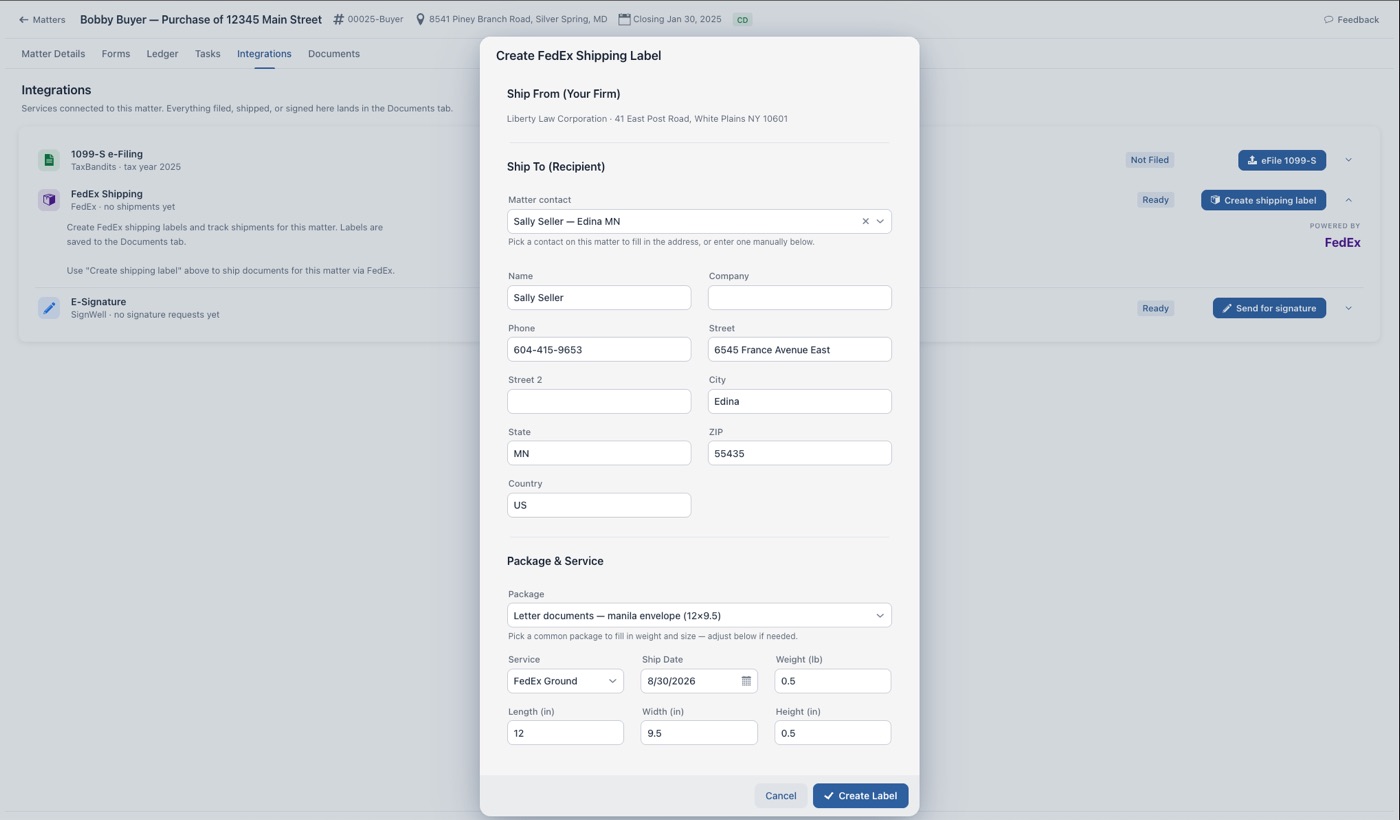
Getting the package out the door is part of the closing. Create a FedEx label from inside the matter, addressed to any contact on the file, and keep the tracking with the matter rather than in someone's inbox.
- Ship-to details filled in from the matter's contacts
- Package-size presets for the shipments you send most
- Label PDF saved to the matter's documents and downloaded for printing
- On-demand delivery tracking for every shipment
- Uses your firm's own FedEx account number
1099-S E-Filing with TaxBandits
The 1099-S Mass Filer pulls every closing eligible to be reported for a tax year straight out of your matters, checks each one, and transmits the batch to the IRS electronically.
- Import every reportable closing for the tax year in one click
- Validate seller TIN, address, gross proceeds, and closing date before filing
- Inline errors tell you exactly what to fix on the matter
- Transmit the selected batch to the IRS through TaxBandits
- Submission IDs and status returned for tracking
- File a single closing from the matter when that is all you need

Put your closings in one place
Start your free 30-day trial and connect the tools your firm already uses